0/5
(0 Reviews)


Achieving top rankings in search engine results is a primary goal for marketers and website owners. In the quest to climb these digital heights, some may stretch the bounds of Google’s guidelines too far, resulting in their site being penalized.
“Authenticity, honesty, and personal voice underlie much of what’s successful on the web.”
Rick Levine
A Google penalty can have a significant impact on your site’s visibility and traffic, often leading to a downturn in business. Identifying whether your site has been penalized can be challenging, and navigating the road to recovery is even more so.

Echoing Benjamin Franklin’s wisdom, “An ounce of prevention is worth a pound of cure,” it’s always better to avoid penalties in the first place. However, if you find yourself grappling with a Google penalty, all is not lost. There are steps you can take to address and rectify the situation. Here’s how to begin the recovery process if you suspect your site has been penalized by Google:
Being penalised by Google algorithm updates is a significant risk for any website. It’s crucial to keep abreast of these algorithms and their updates, as Google frequently modifies them to improve search results.
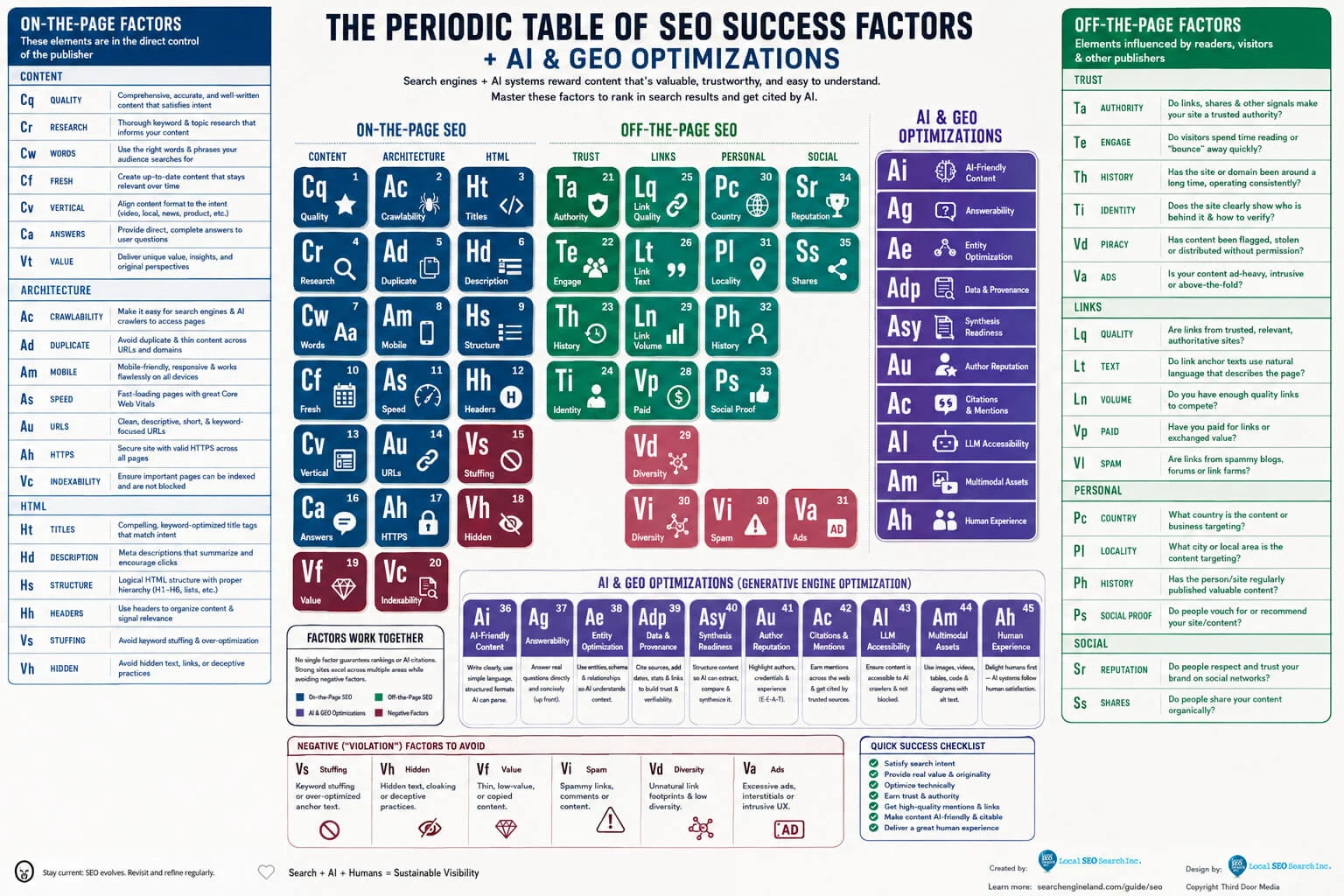
Here are some key Google algorithms to be aware of:
Source: WordPress Integration
Staying informed about these algorithms and their updates is essential for maintaining your site’s visibility and performance in search results. Remember, as Peter Drucker famously said,
“If you can’t measure it, you can’t manage it.”
Keeping a pulse on these algorithm changes allows you to adapt and ensure your site meets Google’s standards for quality and relevance.

When you’re familiar with the algorithm updates, finding out what happened to your website is much easier. You need to know why you’ve been penalised so you’ll know what to do.
Conduct a thorough site audit. You can use tools like SEMRush to do this. Check your rankings on search engine results. Don’t forget to check the quality of backlinks and do an analysis on your site’s content.
“Links are really important for us to find content initially. So it’s like if nobody links to your website ever then we’re going to have a hard time recognizing that it even exists. But once we found it and started crawling it and started indexing its content and seeing that it’s pretty good stuff then those links are generally not that critical anymore.”
John Mueller

If the results of your audit indicate that your site has indeed been penalised, make sure to understand what kind of penalty your site received. When you’ve identified the type of penalty, you will be able to take steps to recover.

There are several reasons sites get penalised. One of the most common reasons is the use of black hat techniques to rank high on search results. When you’re using black hat techniques, you violate search engine and SEO guidelines.
Do site audits on a regular basis and check what’s wrong with your website and your SEO strategies. Make improvements before you receive a penalty.
Constantly monitor your site and any changes that may occur with the various search engines. Avoid getting hit with a penalty by analyzing your SEO efforts. See if you’re on the right path. If your site has been penalised and it seems too complicated to resolve on your own, contact Local SEO Search. Our team will guide you throughout the process.